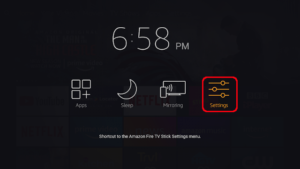
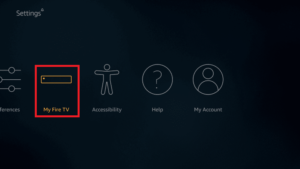
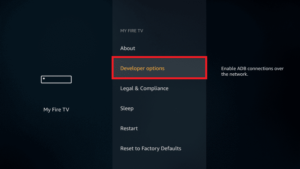
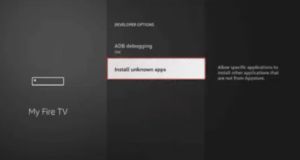
Step 1 : Prepare your Firestick 1. Turn on your Firestick and make sure that it is connected to internet 2. Allow the installation of Apps from unknown sources : – Settings –> myFire –> Developer Options. -Install Unkonwn Apps.
Step 2 : Download and Install your IPTV app : You can use the most common IPTV apps on Firestick, such as Smartone iptv, IPTV Smarters Pro, or Tivimate. In this tutorial will cover how to use Tivimate (but it’s similar to all the other apps) : 1. Download the “Downloader” : – In the search section in your Firestick look for “Downloader” and install it. – OpenDownloader. 2. Download Tivimate : – In the Downloader, write down this URL : https://tivimate.app/download/ – Or use these codes for the most popular IPTV apps Tivimate ( code : 250931), Hotiptv : 395800, Ibo player ( 413623). – Once the download is done you can proceed with its installation in your Firestick. 3. Open Tivimate.
Step 3 : Configure Tivimate with your IPTV service 1. Add your playlist IPTV : – When you open the app for the first time you will have to add a playlist. – Choose “Add playlist”. – Enter the URL of your playlist M3U/xtream codes that were sent to you after the confirmation of your purchase 2. Add complementary information (if necessary) : – Some services IPTV require some activation codes or identifiers . Make sure that you have all the necessary information (you can contact your iptv provider for suppoty if needed). 3. Enjoy you IPTV ! – If you reached this step congratulations you managed to configure your iptv playlist successfully, you can now enjoy the full experience of our service!!!